Note: This article was updated because the feature was previously called "Records". We renamed it when launching a new feature -also called Records- that celebrates personal bests in trainings. The former "Records" feature is now called Documents to avoid confusion.
Equilab makes it easy to upload, store, access, and share important documents/files for your horses.
Every horse owner knows that horses require a lot of paperwork. With the app's Documents feature, you can easily keep track of registrations, vaccinations, competition results, feeding plans, and more. When it's important not to lose a document or to be able to effortlessly share it with your team, upload it as a Document in Equilab.
You can store up to three files per horse when using the free version of Equilab. To unlock unlimited storage and sharing of documents, subscribe to our Premium plan.
Using the Documents feature
You can upload, view, and share Documents for each horse from your Profile. To so do,
- Navigate to the Profile tab
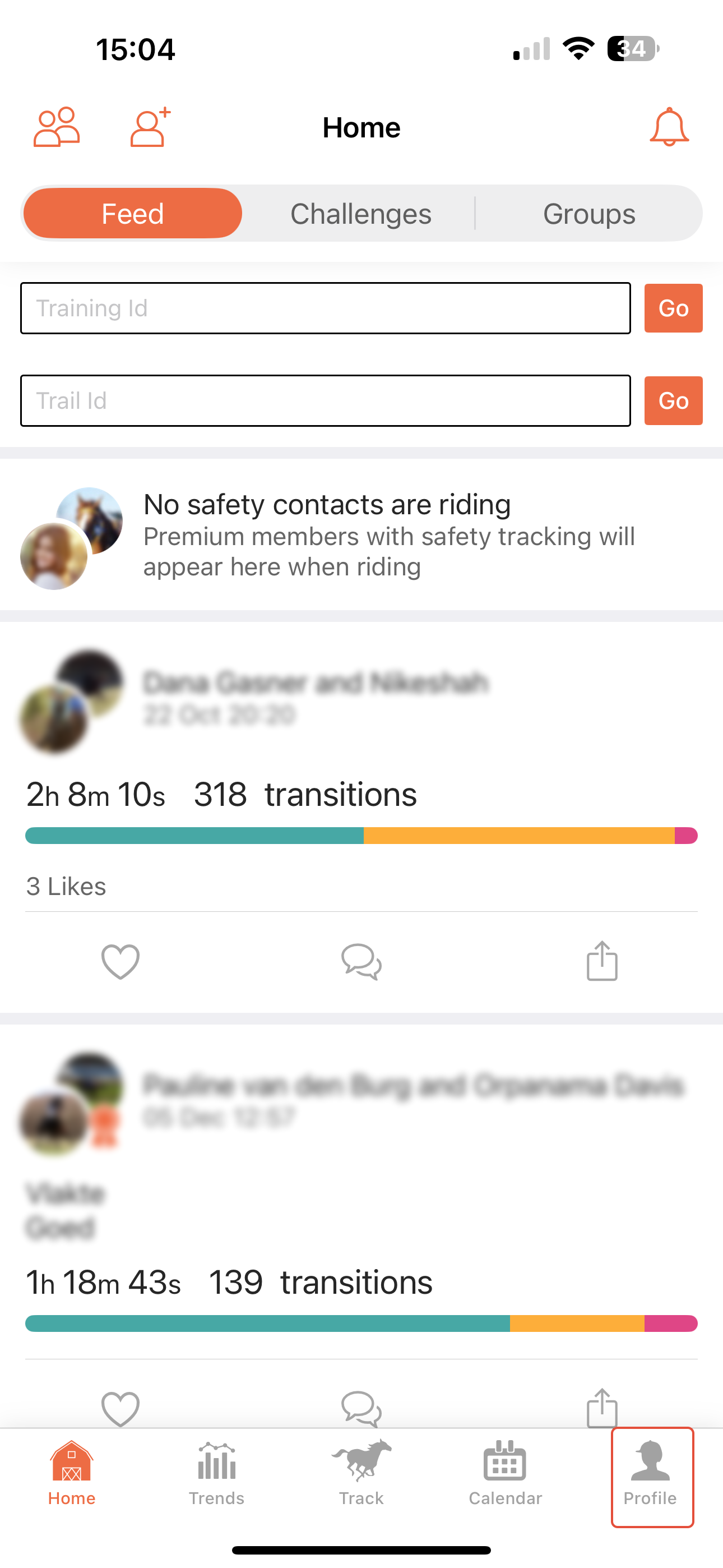
- Select the relevant horse from the list
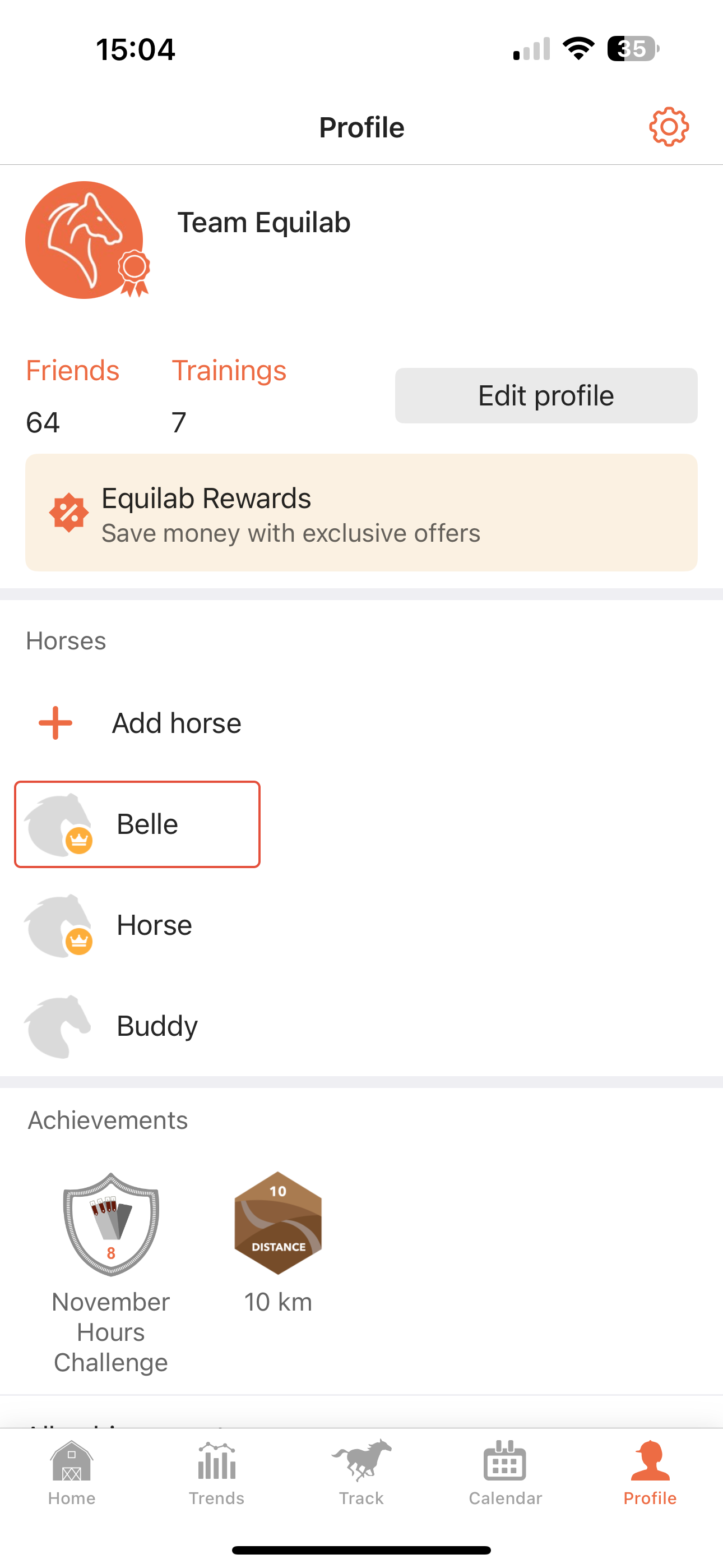
- Tap the "Documents" button
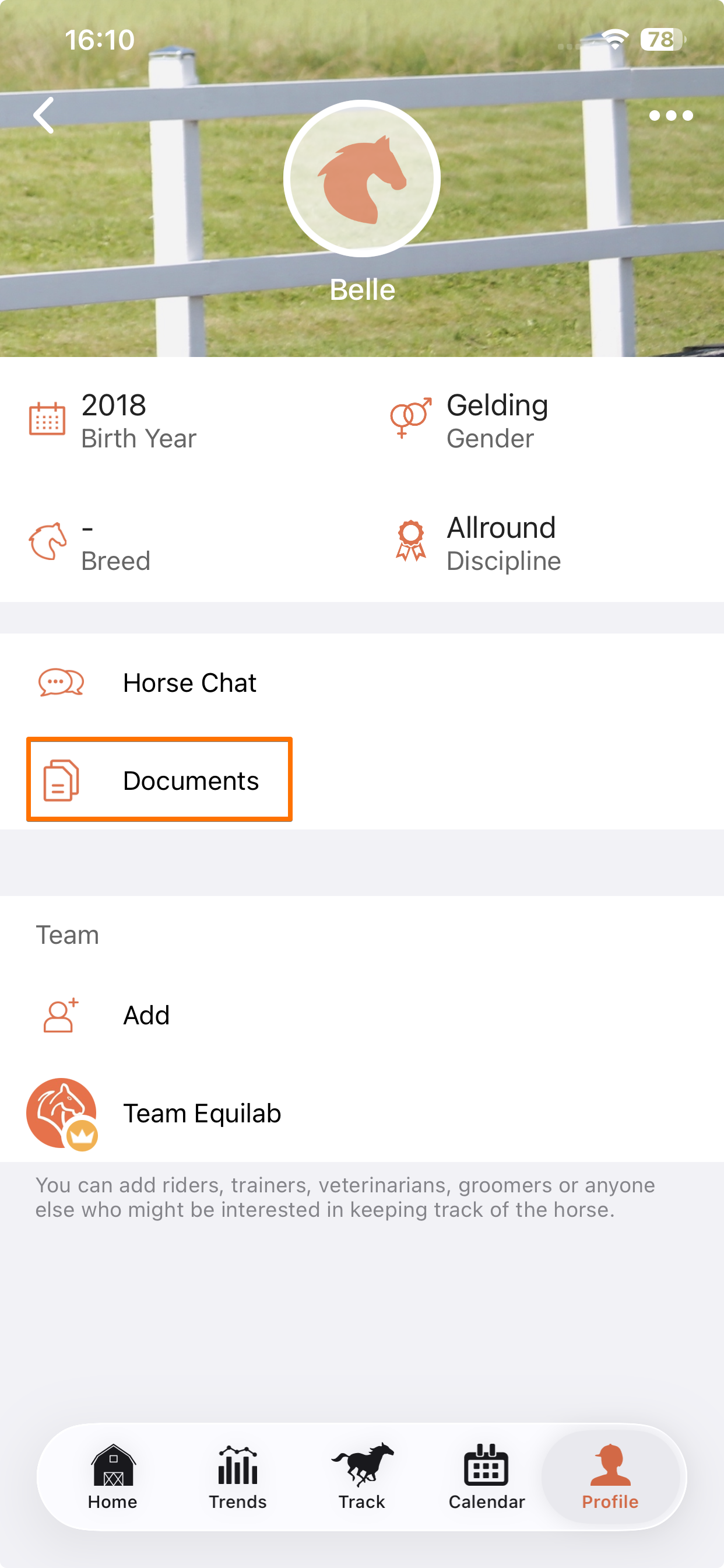
- Press the "+" sign in the bottom right corner
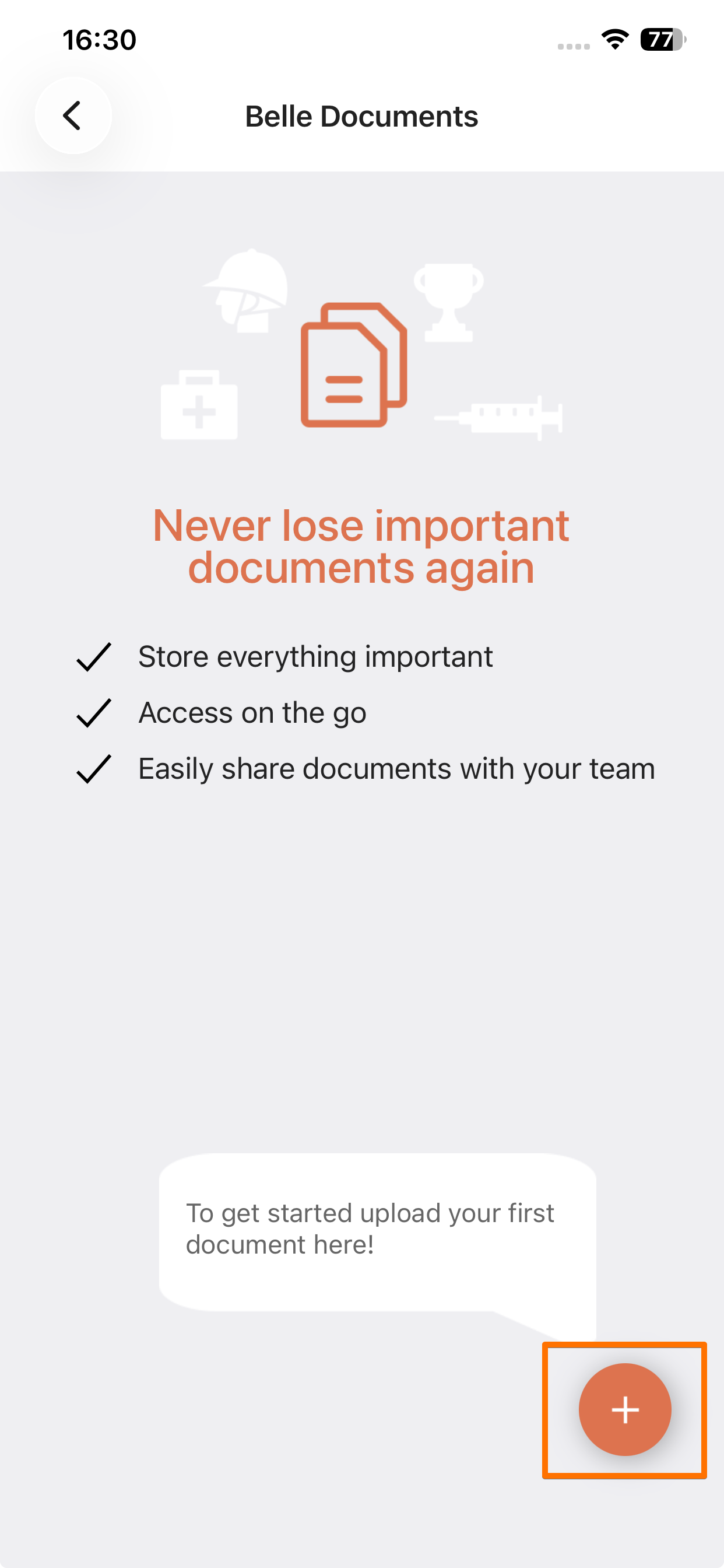
- Upload an image or file from your mobile device
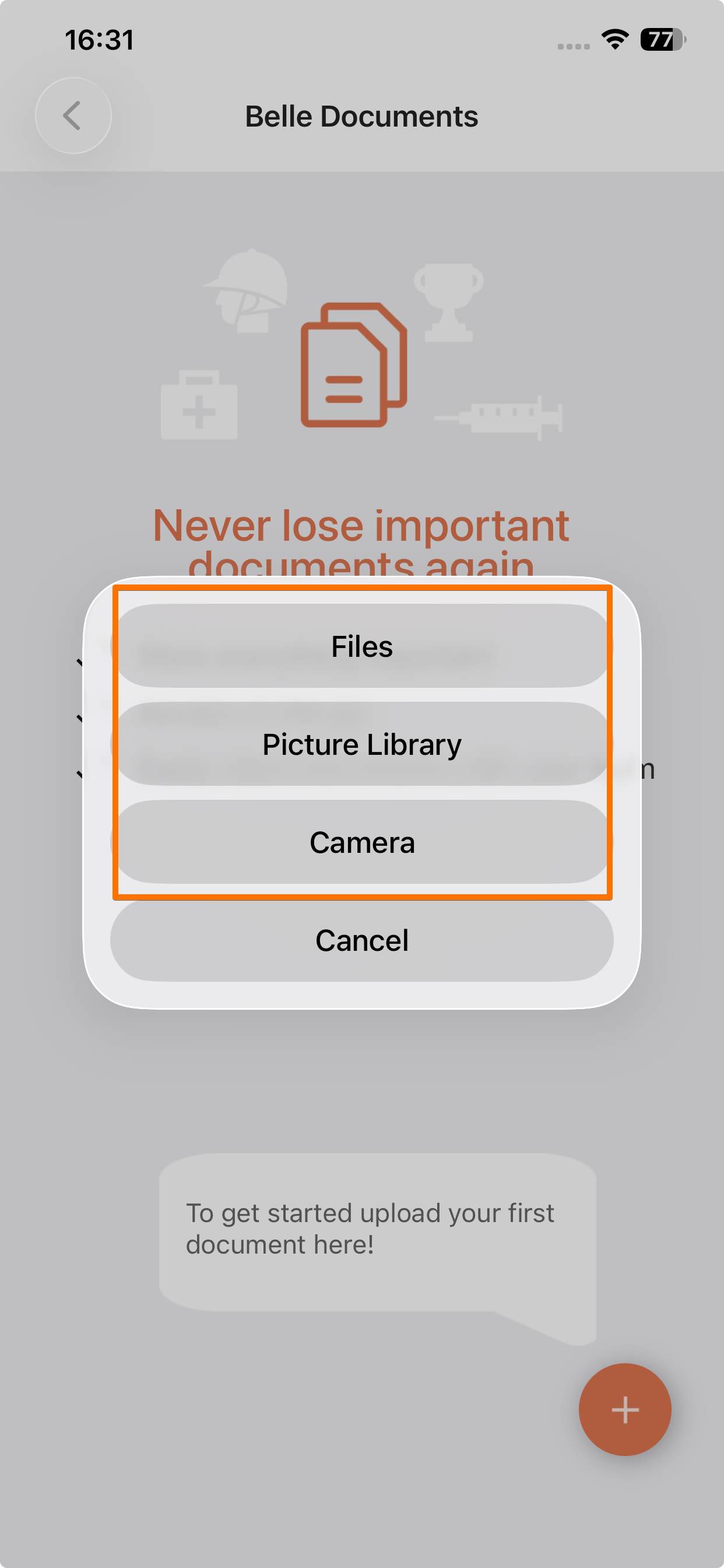
Once you've added a file or image, simply tap on it again to share or rename it.
If you have any additional questions, please feel free to contact us at support@equilabapp.com. We're always here to help.
Was this article helpful?
That’s Great!
Thank you for your feedback
Sorry! We couldn't be helpful
Thank you for your feedback
Feedback sent
We appreciate your effort and will try to fix the article