With Equilab Premium, you can import training files from Strava, Garmin, and other apps into Equilab. Once imported, the training behaves like any other training recorded with Equilab and is included in your records and challenges.
This feature is available for Equilab Premium users on iOS and Android.
Which file types can I import?
Equilab supports the following training file formats:
- GPX
- TCX
- FIT
Files can be exported from apps and services such as Strava, Garmin, and other platforms that support these formats.
Please note: GPX files exported from Garmin are currently not supported. If you're importing a training from Garmin, use another supported file format instead.
Images, videos, and other unsupported file types cannot be imported.
How to import a training file
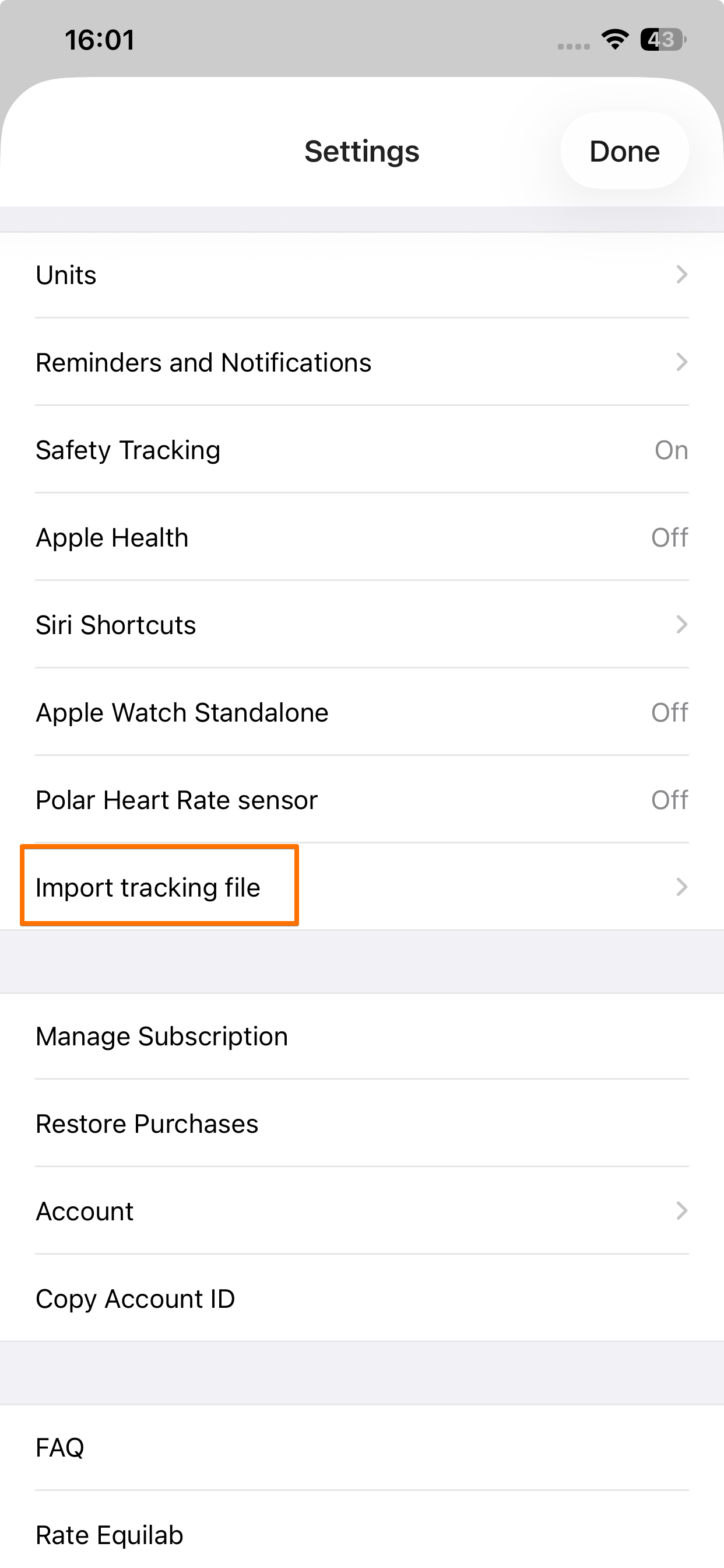
- Open Equilab and go to Profile → Settings
- Tap Import training file
- Tap Select a file
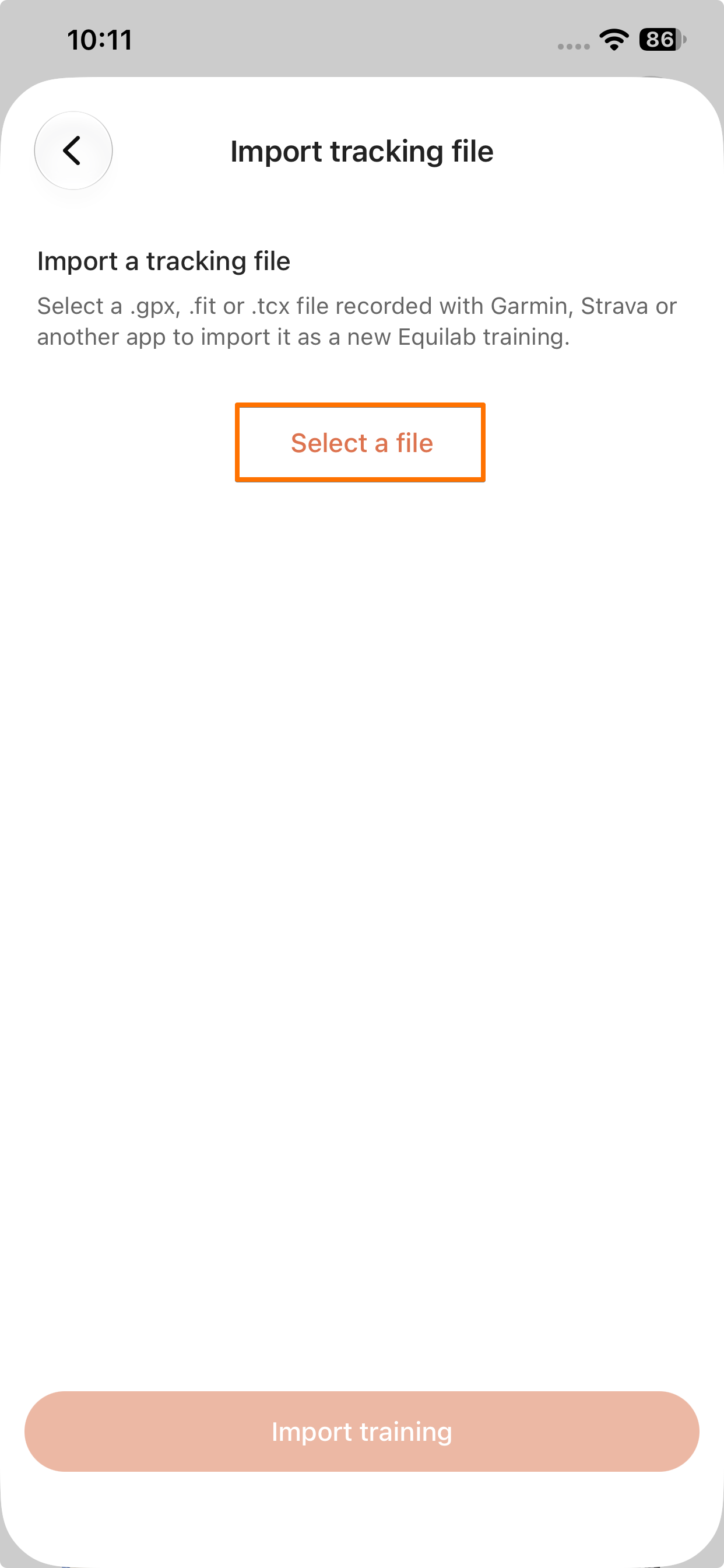
- Select the training file you want to import from your device
- Wait for the file to upload
- Tap Import training
Once the file has been uploaded and imported, the after training view will open. Here, you can add or edit your training information and trim the training if needed. When you're finished, tap Save to add the training to Equilab.
What happens after I import a training?
Once saved, an imported training behaves like a regular training in Equilab. It will be included in your records and challenges, just like a training tracked directly with Equilab.
Looking to import trainings from Apple Health to Equilab?
If you'd like to import your training data from Apple Health instead, please refer to our guide on How to import trainings from Apple Health to Equilab.
Looking to export your Equilab trainings instead?
If you'd like to export your training data from Equilab, please refer to our guide on How to export trainings.
If you have any additional questions, please feel free to contact us at support@equilabapp.com. We're always here to help.
Was this article helpful?
That’s Great!
Thank you for your feedback
Sorry! We couldn't be helpful
Thank you for your feedback
Feedback sent
We appreciate your effort and will try to fix the article